Roller
Connect to Roller to sync bookings and customers!
Written By Daniel Gleaves
Last updated 9 months ago
Setup
To integrate Drawbridge with Roller:
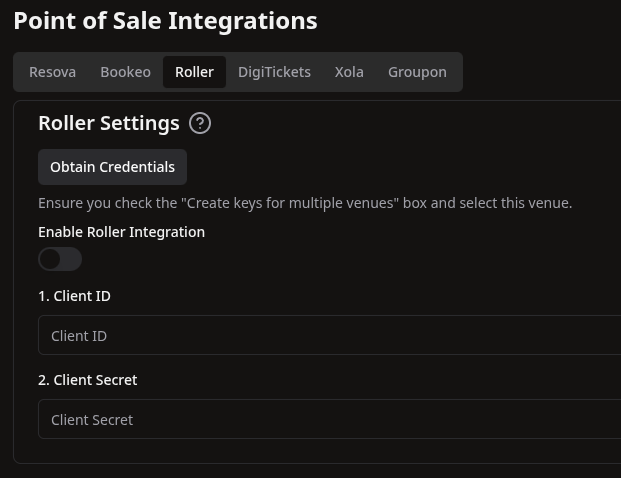
In Drawbridge, navigate to Settings > Point of Sale > Roller
Click the Obtain Credentials button
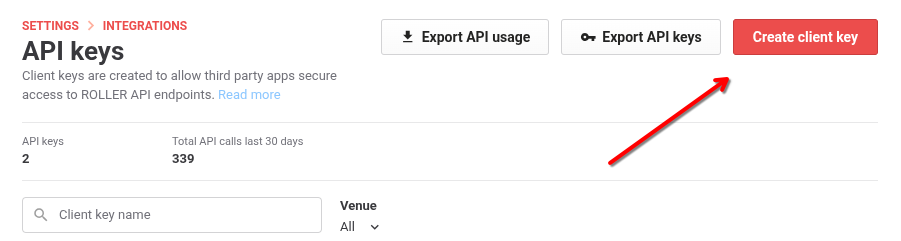
This will take you to the API Keys page in Roller
You will need to log in with an Admin level account in Roller to access this page
Click the “Create client key” button
Click “Create keys for multiple venues” and select your venue
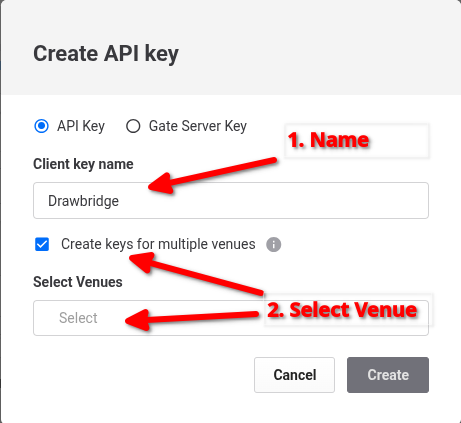
Click Create
Copy Client ID and Client Secret into Drawbridge
Click Save and Enable the Integration
Still need help? Share an idea