Hosting
A collection of videos about hosting games
Written By Daniel Gleaves
Last updated 3 months ago
Overview
This video goes over the basics of hosting through Drawbridge. Follow along to learn about Drawbridge’s features that make being a game host a breeze.
Alert Colors
Keep track of the meaning behind Drawbridge’s notification colors.
Back to Up Next
Accidentally claimed the wrong booking? Send an incorrectly claimed customer back to the up next column.
Navigate to that game's card in the “Active” column and click on the name attached to that booking’s card. A window will appear, asking if you would like to move that particular booking back to "Up Next".
If the game has not begun, its entire card will be removed from "Active", allowing you to claim and start the correct group.
If the game is running, the booking's card will reappear in "Up Next" but the game will continue to run. At this point, simply click "Claim" on the correct booking to associate that reservation with the currently running instance of that game.
Briefing in a Group
Take a look at how to host in a group using Drawbridge.
You may notice we don’t have a place to put if a group would like ‘nudges’ or extra help. We believe best practice is not asking customers if they’d like nudges along the way. Many groups will say they don’t want extra help at the beginning of a game and then struggle along the way and blame the game master if they don’t escape. This can lead to animosity between players and GM’s and a bad customer experience. We also feel nudges are essential to a high escape rate. Learning when and how to give them is part of the art of being a good game master!
Active Games
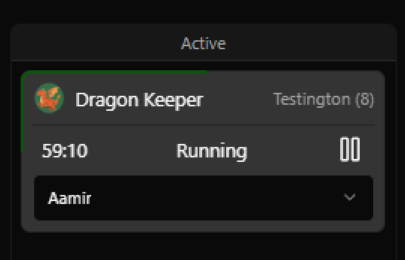
When games are in the active column, there will be a green progress bar that fills around the game card to indicate how far along a group is without having to leave the Hosting Screen.
Debriefing a Group
Now that we know how to host in, let’s take a look at how to host a group out using Drawbridge.
Session Stats:
Give fastest completed objective compared to the time set for the ahead/behind timer
Show how far a group was from obtaining the record and completion time compared to the average group
If a birthday cake appears, the group is celebrating, don’t forget to wish them happy birthday one more time.
If a gold star appears, the group has set the record for the last 30 days.
Rebooking recommendations:
A rebooking button will appear when a game is in the Needs Debrief column. If pressed, this button will recommend a new game for the group to play next time.
The recommendations are based on difficulty levels, so you’ll need to rank your games (under Point of Sale in settings) in order for this feature to work correctly.
For example, if a group escaped an easy game, it will recommend a moderate level game for next time. If they don’t escape, it will recommend an easier game.
Filter by Host
Find yourself losing track of which groups you greeted? Drawbridge makes it easy to remember with a single glance. Filter the hosting screen to show only the games that you are responsible for.
Resetting Rooms
Take a look at what happens when a room is reset using Drawbridge.
To ensure your hint buttons are enabled to time resets, check out the Mythric Configuration page
Update to Resets
Still need help? Share an idea