Mythric Configuration
Easy-to-make changes in Mythric to increase the efficiency of your employees
Written By Daniel Gleaves
Last updated 3 months ago
Hint Button Resets
When you go to reset a room, press the hint button to REQUEST HELP through Mythric and start a timer. Then, once you finish, press it again before hitting the reset button. If at any point you wish to pause your reset, press the hint button. Press it again to resume.
By adding events to Mythric that are linked to the hint button, you can make resetting a room even more seamless.
You WILL NEED to remove the “Story State = Running” from your Hint Request event
OR
You WILL NEED to add “Request Help” to your Timing Reset event
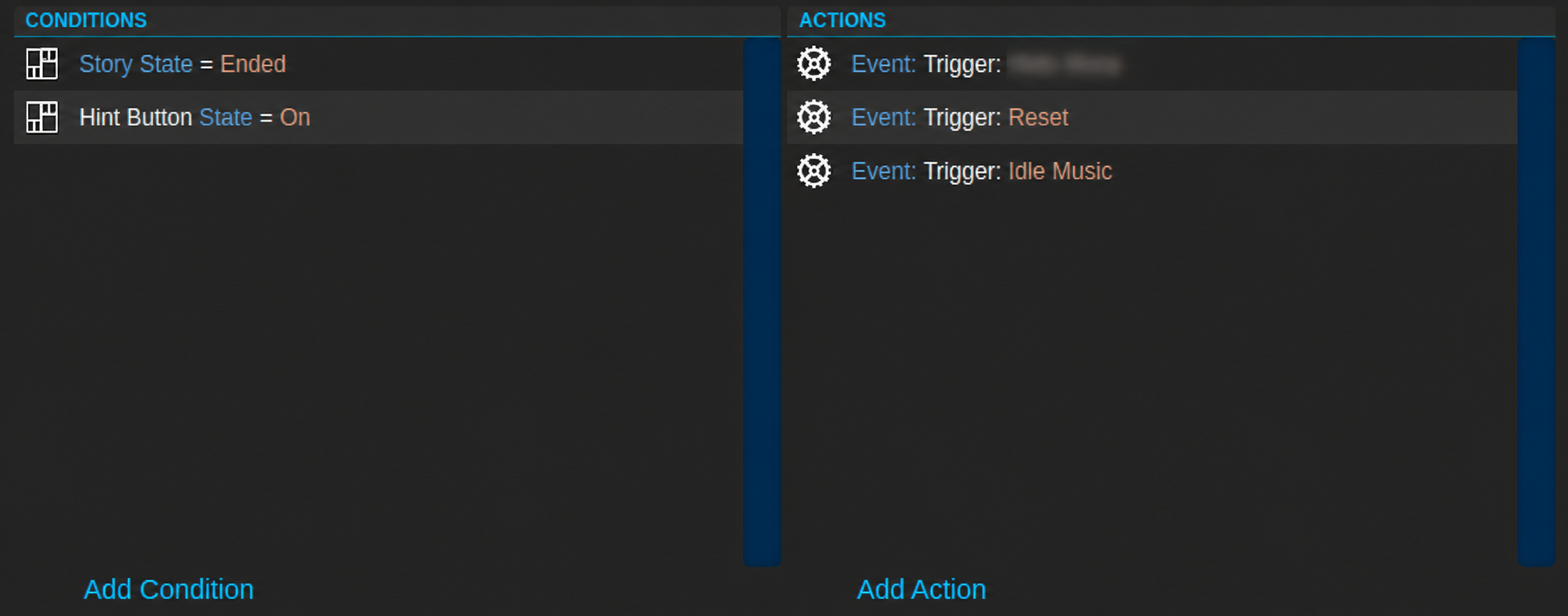
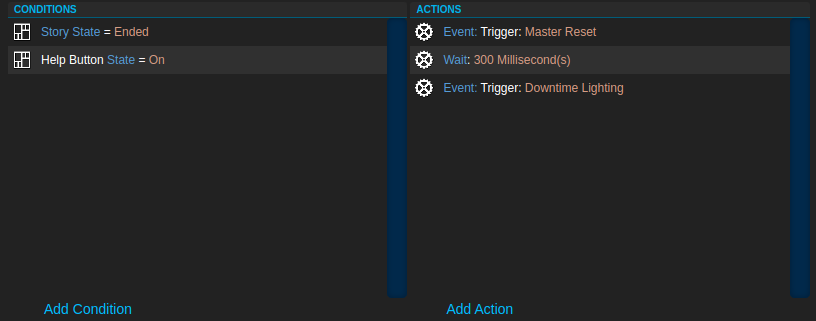
Redo Prologue
Occasionally, Mythric will skip the briefing and prologue videos, adding an event for restarting the prologue can be beneficial as you would not need to pause, end, reset, then start the game again, merely click a button.
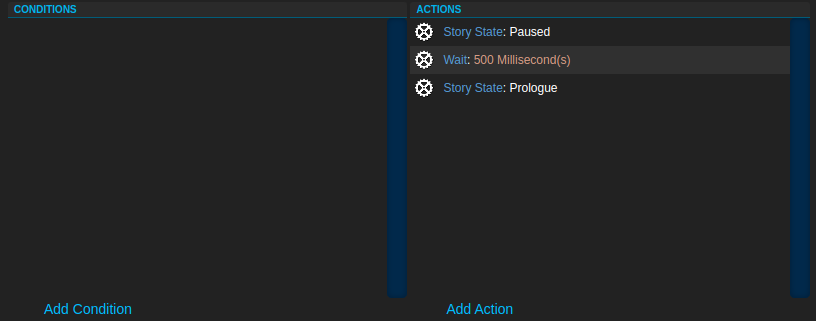
You will also need your prologue event set to recurring. If you have the prologue without the video, you will need to set that recurring as well.
Replay Briefing Video
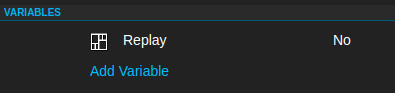
Navigate to the General tab for each Story, scroll all the way down and add a variable called “Replay” with a value “No“
Navigate to the Events tab, find your Prologue event and add the condition Variable Replay Not Equal To Yes
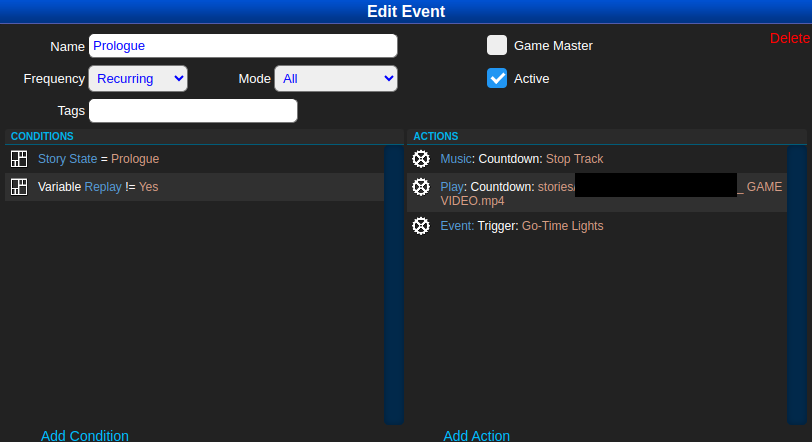
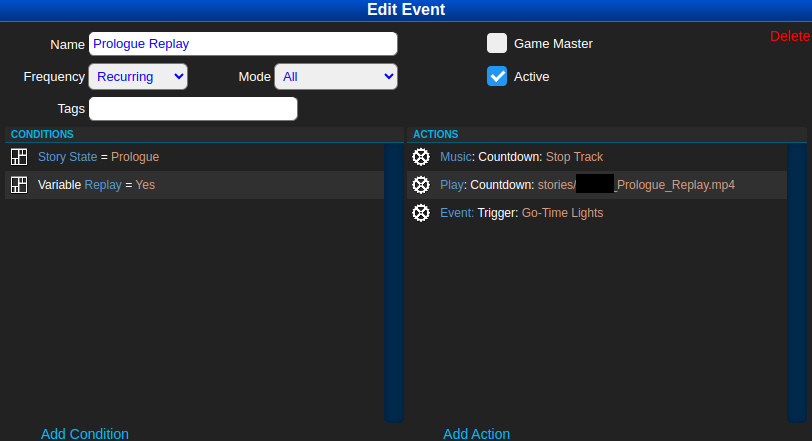
Create a new event for playing the video without the safety briefing, with the conditions Story State = Prologue, Variable Replay Equals Yes
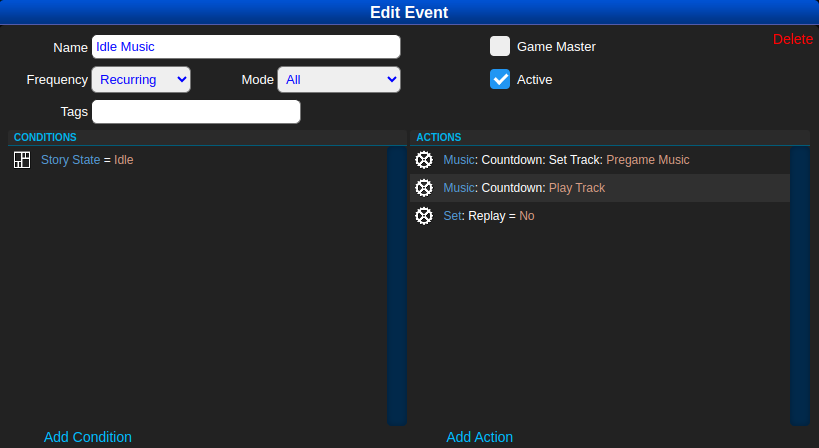
Create a new event for setting the Replay variable to No, with the condition Story State = Idle, Frequency recurring
Still need help? Share an idea